Welcome 🤗! In the next ~4h we will cover:
A quote from HAL 9000, the computer in 2001: A Space Odyssey (1968).
Cryteria, CC BY 3.0, Source
Motivation
AI can act as a tireless pair programmer. It explains code, suggests fixes, and drafts boilerplate in seconds.
But AI makes confident mistakes. What you have learned helps you to check its work.
Learning goals
Explain the structure of an unfamiliar codebase using AI and verify the explanation
Add new features, tests, and documentation using AI
Use Git to organize your changes, e.g., branching, pull requests, and merging
Review your changes using AI
Reflect on using AI as a pair programmer in a learning setting
Preparation Review
AI-assisted development environment
Creating your own repository using our template
Until now, Classroom 50 created a repository for you for submitting your assignments. Using this tutorial, you will create your own repository using our template.
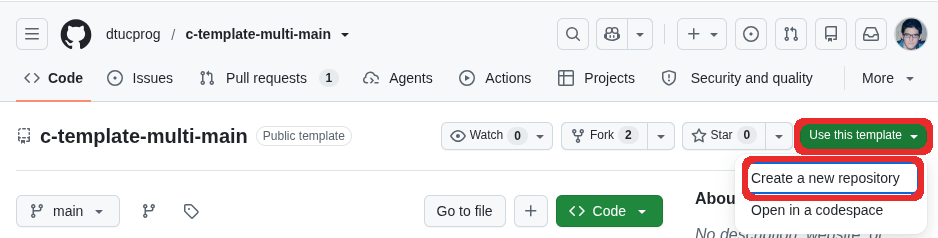
Go to https://github.com/dtucprog/c-template-multi-main.
Click Use this template -> Create a new repository:
Give a name to your repository, choose visibility, and click Create repository:
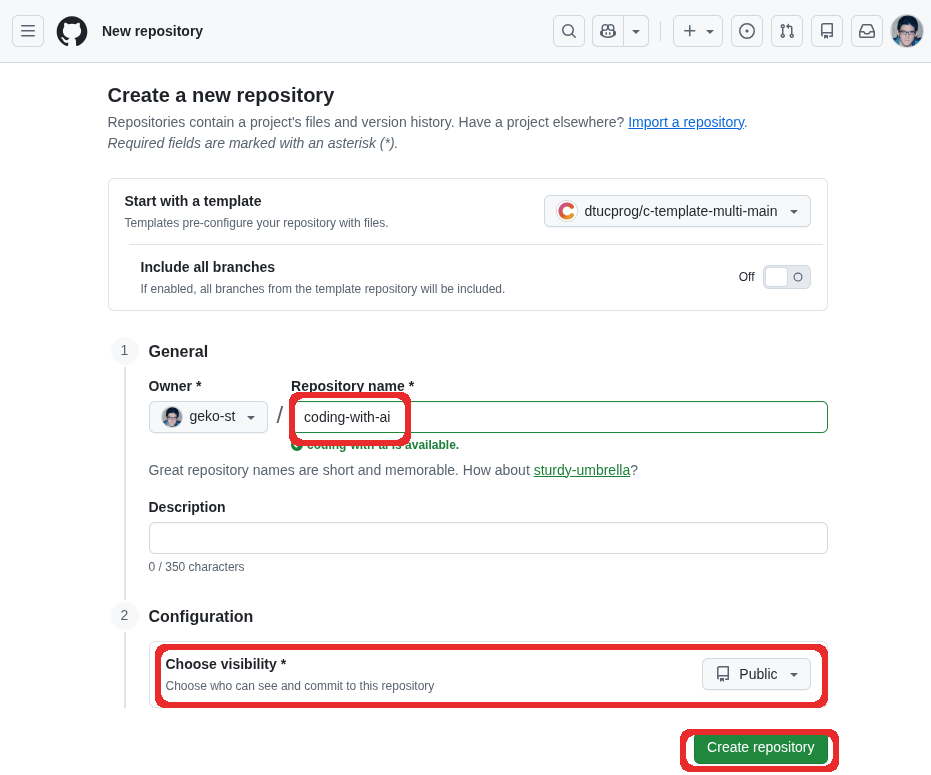
You can now clone your repository in your local editor or open it in the Browser-based code editor.
Browser-based code editor
In Pair programming with GitHub Copilot you used a Python-based project. You can also use our template in the browser, which has Copilot built-in. After Creating your own repository using our template, you can open your repository in the browser-based code editor.
Click <> Code button -> Codespaces tab -> Create codespace on main button:
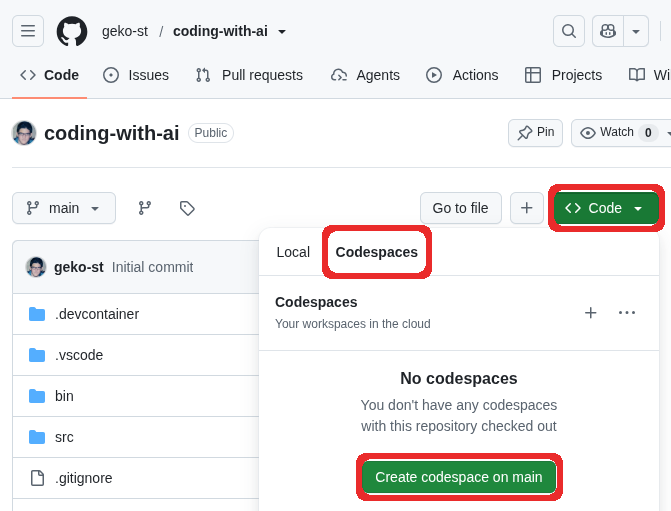
It will take about 1 minute to setup the environment ⏳
If you trust our template, click Trust Folder & Continue.
After confirmation, some extensions will be installed.
Try compiling a file. For example, click
src/hello.cand then press F5. You should see program’s output: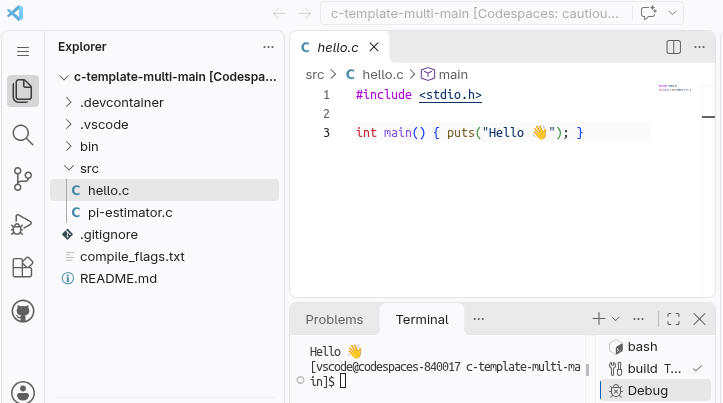
When you start debugging, you will see the following error message in the Debug Console. This is expected.
Could not disable address space layout randomization (ASLR).
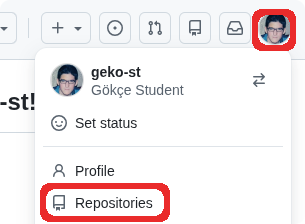
You can list your repositories by clicking on your profile picture on the top right corner and then Repositories:
Coding
E: Improving a software tool
E: Reflection
Let us revisit our learning goals:
Explain the structure of an unfamiliar codebase using AI and verify the explanation
Add new features, tests, and documentation using AI
Use Git to organize your changes, e.g., branching, pull requests, and merging
Review your changes using AI
Reflect on using AI as a pair programmer in a learning setting