Welcome 🤗! In the next ~4h we will cover:
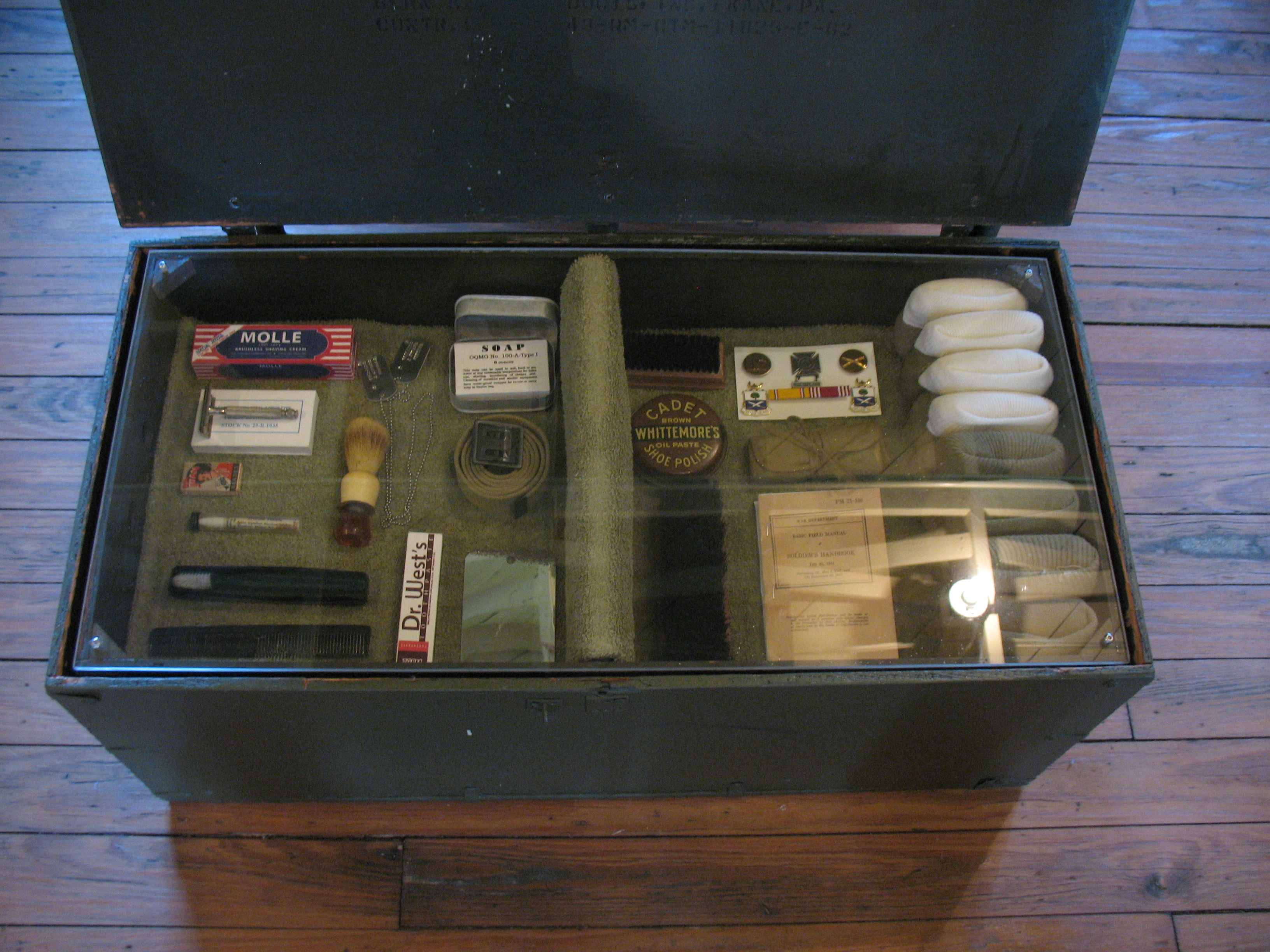
A footlocker (luggage) from World War 2. A footlocker is to be placed at the foot of a bed, used to store personal belongings.
It is a collection of related items, and each item has its own space inside, which maps nicely onto a struct.
James Emery, CC BY 2.0 Source.
Motivation
Imagine you want to create a program that tracks every student’s data in this classroom:
name
matriculation number
birth year
How would you do this in C?
We used arrays to pack data that have the same type and belong together.
char names[STUDENT_COUNT][NAME_SIZE];
int matriculation_numbers[STUDENT_COUNT];
int birth_years[STUDENT_COUNT];If you sort names but forget to sort matriculation_numbers the same way, every student now has someone else’s number. Nothing ties names[4], matriculation_numbers[4] etc other than programmer’s discipline! 🙂
structs group these fields into a single unit, so each student’s data stays together by construction:
struct Student {
char name[NAME_SIZE];
int matriculation_number, birth_year;
};
struct Student students[STUDENT_COUNT];Learning goals
Explain when a
structis usefulDeclare a struct (including nested structs) and access its members using
.and->pass structs to functions and return them
Create synonyms using
typedefDefine and use unions and bitfields
Use bitwise operators
Preparation Review
E: Teach your peers
Question pool
Coding
Hello struct union bitfield
Create the following datatypes and instantiate a variable using them:
struct
Studentusing the following data:name
matriculation_number
birth_year
union
ManyTypewith the following fieldsan integer
ia char pointer
sa double
d
A struct called
Statuswith the following bitfields that together make up anunsigned int:is_full1 bitis_almost_full1 bitis_empty1 bitis_almost_empty1 bitbuffer_size8 bits
At last, create the synonym Student for struct Student using typedef.
Accessing members
Access the following members in the code below.
nameoffriend1last_contact_timeof the struct pointed to byfriend1_ptr.mastodonof the membersocial_handlesof the structfriend1Same as previous, but using
friend1_ptrnameoffriend1’s partner.
#include <time.h>
constexpr size_t STR_SIZE = 32;
struct Friend {
char name[STR_SIZE];
time_t last_contact_time;
struct {
char instagram[STR_SIZE], mastodon[STR_SIZE], tiktok[STR_SIZE];
} social_handles;
struct Friend *partner;
} friend1 = {"Su", time(nullptr), {"Su039", "surooo", ""}, nullptr},
friend2 = {"Anamay", time(nullptr), {"", "", "anamay_00"}, &friend1},
*friend1_ptr = &friend1;
friend1.partner = &friend2;
friend1Packing four characters in an integer
We can use bitwise operators to pack four characters one after another. One approach is:
Initialize an unsigned integer to zero.
Add one character to the unsigned integer
Shift it to the left by 8 bits
Repeat the previous steps for the other remaining characters.
Another approach is to shift a, b, c, and d 24, 16, 8, and 0 times and calculate their sum. Instead of addition we could also OR the characters.
Write the function unsigned pack_four_chars(char a, char b, char c, char d). And check its output using binary formatting.
%b not supported in WindowsOn Windows you may get instead:
bTwo solutions:
We implement our own function
print_byte_as_bits()in Notebook-code.If acceptable, you print as hexadecimal number instead:
%h.
Version details
Microsoft C runtime library (UCRT) does not support %b introduced in C23 as of 2026-11 on my Windows:
PS (Get-Item C:\Windows\System32\ucrtbase.dll).VersionInfo.FileVersion
10.0.26100.9711 (WinBuild.160101.0800)#include <stdio.h>
unsigned pack_four_chars(char a, char b, char c, char d) {
// YOUR CODE HERE
}
int main() { printf("%032b\n", pack_four_chars(0b111, 0b101, 0b110, 0b10)); }
Template
00000111000001010000011000000010
Expected output
Shape collage
Create a collage 🖼️ of colorful shapes in raylib. Complete the following:
Shapetype which describes the features of a shape, e.g., color, position, radius etcinitialize_shapesassigns random values to all shapes’ features.draw_shape(Shape *)draws the providedShapeon the screen using raylib’s functions likedrawCircle,drawEllipseetc.
You can define further functions if you see fit. When you exit the program, then it takes a screenshot of your collage.

100 random shapes: circles, ellipses, triangles, and rectangles
Use raylib template for this tutorial. Our standard template does not link your code with raylib.
Need a kickstart idea?
Begin by drawing only circles. Then you can expand your code to other shapes.
Idea for using unions
unionsWhen expanding to other shapes a tagged union that selects between different structs based on the ShapeForm could be a good way to use unions. Think about the features that every shape has and create an anonymous union that holds the structs for the supported shapes in your application.[1]
Template
#include "raylib.h"
#include <stdcountof.h>
#include <stdlib.h>
constexpr int SCREEN_WIDTH = 400, SCREEN_HEIGHT = 400, SHAPE_COUNT = 100,
FPS = 1, // Frames per second
RADIUS_MAX = 20, // Maximum shape radius
RADIUS_MIN = 5; // Minimum shape radius
constexpr char TITLE[] = "Shape Collage";
Color RAYLIB_COLORS[] = {
// These colors are defined in `raylib.h`
// Used to pick a random color.
LIGHTGRAY, GRAY, DARKGRAY, YELLOW, GOLD, ORANGE, PINK,
RED, MAROON, GREEN, LIME, DARKGREEN, SKYBLUE, BLUE,
DARKBLUE, PURPLE, VIOLET, DARKPURPLE, BEIGE, BROWN, DARKBROWN,
};
typedef enum { CIRCLE, ELLIPSE, TRIANGLE, RECTANGLE } ShapeForm;
constexpr size_t SHAPE_TYPE_COUNT = 4;
typedef struct {
// YOUR CODE HERE
} Shape;
Shape shapes[SHAPE_COUNT];
// YOUR CODE HERE
// Initializes shapes with random features.
// Returns `shapes`
Shape *initialize_shapes() {
// YOUR CODE HERE
return shapes;
}
void draw_shape(const Shape *s) {
// YOUR CODE HERE
}
void draw_elements() {
for (size_t i = 0; i < countof shapes; ++i) {
draw_shape(&shapes[i]);
}
}
int main() {
InitWindow(SCREEN_WIDTH, SCREEN_HEIGHT, TITLE);
SetTargetFPS(FPS);
initialize_shapes();
while (!WindowShouldClose()) {
BeginDrawing();
ClearBackground(RAYWHITE);
draw_elements();
EndDrawing();
}
TakeScreenshot("shape_collage.png");
CloseWindow();
}
Raylib cheatsheet could be useful. Search for triangle, for example.
Workaround for %b on Windows: print_byte_as_bits
Due to lack of support %b in Windows, we have to find our own solution.
I modified the templates. If you already accepted the assignment, copy at the templates of Exercise 2 and Exercise 3 again.
Implement the function void print_byte_as_bits(unsigned char byte) that prints a byte as 8 characters each representing one bit. For example:
print_byte_as_bits(5);00000101Solution to Exercise 7
constexpr size_t CHAR_BIT_COUNT = 8;
void print_byte_as_bits(unsigned char byte) {
for (size_t i = 0; i < CHAR_BIT_COUNT; ++i)
putchar(byte & (0b10'00'00'00 >> i) ? '1' : '0');
}
print_byte_as_bits(3);00000011print_byte_as_bits(5);00000101E: Reflection
Let us revisit our learning goals:
Explain when a
structis usefulDeclare a struct (including nested structs) and access its members using
.and->pass structs to functions and return them
Create synonyms using
typedefDefine and use unions and bitfields
Use bitwise operators
A tagged union inside a struct is similar to object-oriented programming. We can have a base class
Shapewithcolor, because every shape has a color. Child classes likeCircle,Triangleetc can then add their own features likeradiusH,sizeetc.Thinking about this design problem made the connection to C++ in my mind, which was very rewarding.